
Archive for the 'Cataloguing' Category

Highlights of Connections 85

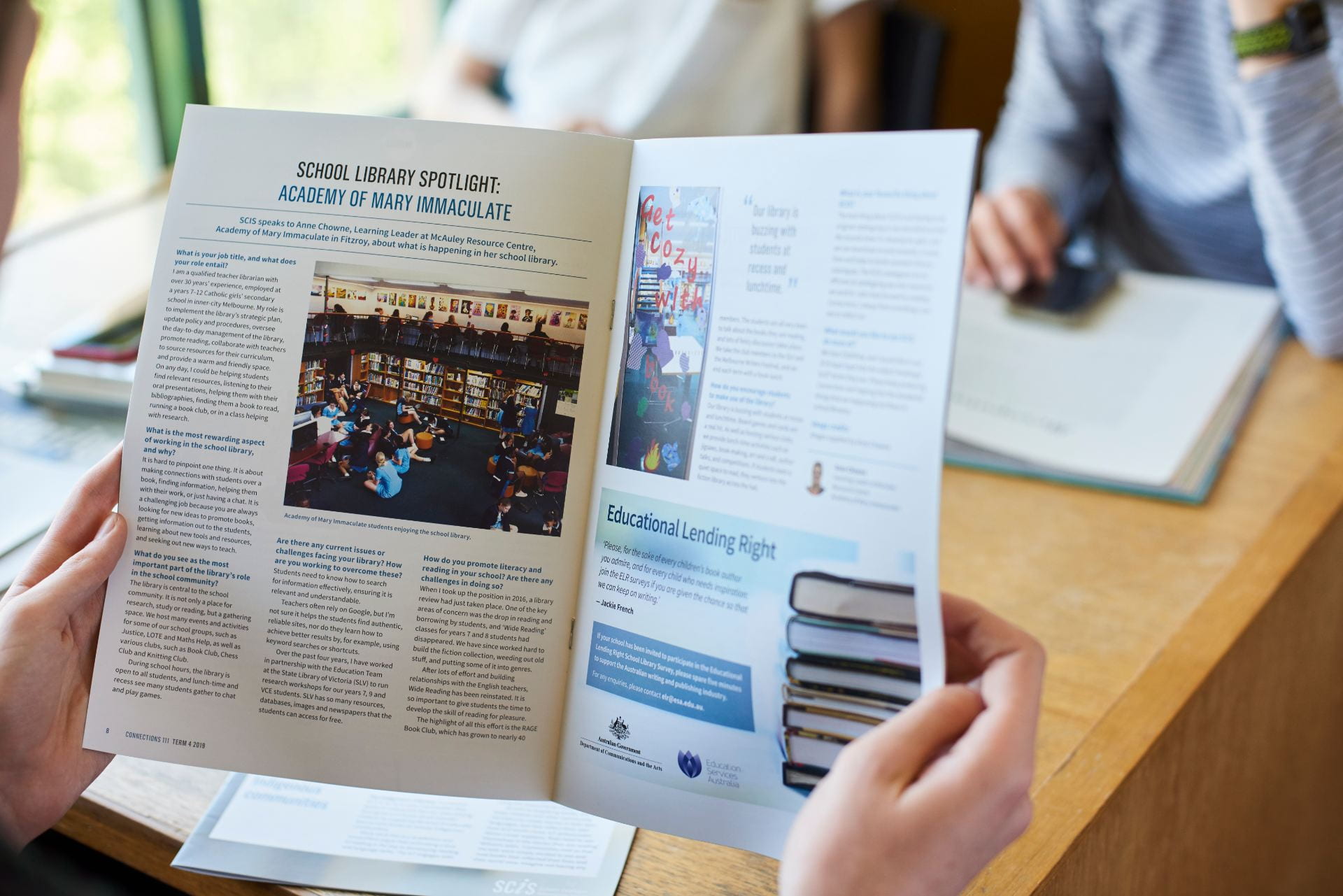
You can now read the latest issue of Connections at the SCIS website.

Digital Citizenship

Judith Way discusses why she saw the need for a digital citizenship blog which reached out to all sectors of her school community.  She felt that many students and parents, even if adept at using digital technology and social media, were often unaware of the implications of their digital footprint.  She resolved to  promote the responsible use of social media and the internet.

Kew High School's cybersafety/digital citizenship blog. Printed here with permission

Kew High School’s cybersafety/digital citizenship blog. Printed here with permission


Using archetypes to match learning spaces with physical and digital spaces

Bianca Hewes looks at the traditional classroom and wonders why in a changing world, it remains unchanged despite the creation of virtual learning spaces.  She  examines the work of Prof. David D Thornburg who identifies four ‘archetypal learning spaces: Campfire, Watering hole, Cave and Life.

The Annual Report

Dianne McKenzie discusses how the annual report can be a record of a year’s planning and activity, allowing the Librarian to showcase the diverse roles and activities of the Library.  She emphasizes the importance of documenting and collecting data

SCIS is more: E-book and RDA updates

Meet our new Cataloging Team Leader Soula Kipos, and find out more about SCIS records for e-books and the introduction of the cataloguing standard: Resource Description and Access (RDA).

Highlights of Connections 84

You can now read the latest issue of Connections at the SCIS website.

GR8 Debate digital culture is killing reading

The GR8 debate was organized in celebration of the National Year of Reading and explored how digital technologies such as iPads, social media and the instant internet culture impact upon our core, traditional abilities and views of reading and writing. Both sides battled it out with a diverse array of serious and humorous academic arguments

Banned Books Week 2012 at Sunshine College

How Sunshine College celebrated Book week by looking at banned books

“The students were shocked that their favourite books had not been allowed in some places, including their much-loved year 10 class text, The Curious Incident of the Dog in the Night-time. Suddenly, they could feel deliciously naughty while defending freedom of speech. They raided the shelves to find their favourite banned or challenged books. They then decided which passages to read, discussing, arguing, and testing them on each other.”

Creating displays part 2: the practical side

Anita Vandenberghe in her previous article talked about the philosophy of displays – what is the story behind it? Why should we have displays and would people even notice them?  In this issue she highlights the practical side of display. Where to start, what topic to choose, where to get ideas, what material to use and how to prepare yourself?

Collective knowledge construction: four new strategies for learning

How to Connect, Communicate and Collaborate in order to learn Collectively.

QR codes, linking print and online collections

An interesting summarized exploration of how to create meaningful two-way links between the libraries online and print collections.

Cataloguing team leader

This week SCIS sadly farewells Pamela Kadow who has ably led the SCIS cataloguing team since 2010.
Cataloguing services are at the core of SCIS and we are very well served by our distributed team of experienced and expert cataloguers currently located in Adelaide, Auckland, Brisbane, Dunedin, Melbourne, Nelson, Perth and Sydney.

ESA Cataloguers 2012

ESA Melbourne Cataloguers 2012

Do you know a cataloguing/systems librarian who would be a great new SCIS team leader?

Reporting to the SCIS  Manager, you will be responsible for maintaining the Voyager library system and growing cataloguing services and data quality within this significant database (currently 1.5 million MARC records). You will lead a team of dedicated cataloguers and provide assistance in the implementation and maintenance of SCIS systems and standards, liaising closely with the SCIS Information Services Standards Committee.

To be successful in this role, you will need to demonstrate previous experience with original cataloguing, copy cataloguing and authority work in an integrated library management system, thorough knowledge of AACR2R, MARC21, DDC and experience in the application of subject metadata. You will possess excellent written and verbal communication skills and have experience in managing and developing teams.

Candidates with knowledge of Resource Description and Access (RDA)  will be highly regarded.

In return, you can expect an excellent working environment with friendly colleagues, interesting work and opportunities for continual growth.

Position Description: SCIS Cataloguing Team Leader 2013

Applications by email to recruitment@esa.edu.au

Applications close 1st February 2013.

SCIS asks: ScOT and subject access

In the subject access session of the SCIS consultation on 4 December 2012, Les Kneebone Project Manager of the Schools Online Thesaurus (ScOT) presented an exciting overview of recent developments in the ScOT thesaurus. Key features that position ScOT for the future include:

  • its ongoing development with input from cataloguers, curriculum developers, subject matter experts and users
  • its use to describe the machine-readable Australian Curriculum
  • its linked data API facilitating automatic semantic relationships
  • its translation into languages including Chinese, Indonesian, Japanese and Māori
  • its use to describe a wide range of resources through the National Digital Learning Resource Network and SCIS

Discussion followed as to future directions for SCIS in the area of subject access.

Les Kneebone

Les Kneebone presents an overview of ScOT

The ScOT in SCIS project commenced in 2006 when the thinking was that keyword searching would become the pre-eminent means of resource retrieval. Since then SCIS has offered schools the option of downloading both SCIS Subject Headings and ScOT terms in their catalogue records. The challenge is how to manage and display both SCIS subject headings and ScOT terms in a meaningful way for users in order to exploit the inferred links between resources tagged with ScOT terms that match a curriculum tagged with ScOT terms.

Also discussed was an alternative scenario of transition from use of SCIS Subject Headings to ScOT terms and how schools would manage this process.

SCIS asks – Resource Description and Access (RDA)

As part of the SCIS consultation on 4 December 2012 Renate Beilharz from Box Hill Institute provided an introduction to Resource Description and Access (RDA)  and its benefits for education libraries.

The Statement of purpose for RDA states:

Renate talks about RDA

Renate talks about RDA

RDA will be a new standard for resource description and access, designed for the digital world.
Built on foundations established by the Anglo-American Cataloguing Rules (AACR), RDA will provide a comprehensive set of guidelines and instructions on resource description and access covering all types of content and media.
RDA will enable users of library catalogues and other systems of information organization to find, identify, select, and obtain resources appropriate to their information needs.

During the period of RDA development, the library and cataloguing world updated some key cataloguing principles and developed some conceptual models for resource discovery. RDA is built on these new conceptual models.

If we remember that the highest principle of the International Cataloguing Principles is the ‘convenience of the user’ RDA has aligned with the ICP principles: find, identify, select, obtain.  Through  RDA we can practise what we preach and work to improve search results and the way these results are displayed. RDA is very much about the user and functionality; focused on users – not items.

The RDA cataloguing standard is designed precisely for an online environment. RDA’s element set has been clearly defined, and incorporated into the Open Metadata Registry, which is a set of RDF-based controlled vocabularies, and a fundamental piece of technical infrastructure for the Semantic Web.

Renate’s overview led into a presentation by SCIS Cataloguing Team Leader, Pam Kadow, outlining proposed changes to the SCIS Standards for Cataloguing and Data Entry for alignment with RDA commencing the second quarter of 2013.

What about e-books?

At SCIS workshops a popular topic of discussion is e-books in school libraries. This blog post provides an update on what SCIS is doing about e-books.

What e-books will I find in SCIS?

SCIS catalogues e-books from a number of publishers and vendors. In most cases schools are unable to send e-books to their SCIS cataloguing agency (due to digital rights and access restrictions) so we are reliant on publishers and e-book system providers for the access that allows us to catalogue e-books.

Note that as titles may be available from more than one e-book supplier SCIS is in the process of changing its cataloguing standards to favour provision of provider-neutral e-book records that do not link to a specific supplier.

SCIS regularly catalogues e-books from the following  e-book providers and vendors

Screen shot from SCIS catalogue

Subject search for e-books in the SCIS catalogue

What about free e-books?

SCIS catalogues Project Gutenberg and public domain e-book material on request from schools if they are seen to be relevant to curriculum or literature programs across a range of schools.
Search the SCIS Catalogue for Project Gutenberg e-books [login required].

What if I can’t find an e-book record in SCIS?

We are keen to ensure that the e-book resources schools are acquiring are catalogued promptly.
Contact your SCIS cataloguing agency with details of the resource you have purchased and we will investigate how to access this in order to catalogue it.

SCIS Catalogue features

Have you checked out the new SCIS Catalogue launched last week?
As well as a fresh look, there are a number of features that will be appreciated by SCIS users.

Search filters

The search limits available in previous versions of SCIS OPAC are still available (year, place, type, format and language), but search limits have been supplemented in this version of the Catalogue by the ability to filter the results following your initial search. These filters are found in the right hand column of the search results page.

SCIS Catalogue filter options

Search filters

Log in to the SCIS Catalogue and try the filters on a search for World Cup.

If you have requests for other filters you would like to see included as default, please let us know.

Timeout warning

A new timeout countdown feature alerts you if your search session has been idle for some time and is about to be reset.
Extension to the timeout period is also being trialled following a server upgrade.

Accessibility

The Voyager 7.0 WebVoyáge user interface was developed to comply with international industry accessibility standards.

Mobile devices

The new SCIS Catalogue is designed to display well and resize for use on various mobile devices.

Technical infrastructure

The SCIS Catalogue is now on a separate server at address: http://opac.scis.curriculum.edu.au which means it can function independently in the event of downtime on other SCIS services such as SCISWeb. If your network settings or firewall need to be changed as a result, please contact SCIS for the IP address of this server.

New SCIS Catalogue

From 3 October 2011 the SCIS catalogue will undergo a major upgrade.

This involves implementation of

Design concept for SCIS catalogue

  1. a new version of the Voyager library system which underpins the SCIS service
  2. a new, more intuitive interface design for the SCIS Catalogue
  3. a new server platform.

We will endeavour to keep disruptions to a minimum during this time.

You will be able to follow the progress of the upgrade via:

  • news postings on the SCIS website
  • the SCIS twitter account and
  • email messages to subscribers.
    Please ensure you have a valid email address registered with SCIS so that we can keep you informed. Simply log in to SCISWeb,  and go to My Profile to add or update your email address.

Authority files: getting started

Are you new to SCIS authority files, or not sure about the best workflow for your library? This post outlines the decision making process as a simple guide to getting started with authority files.

Why should we load SCIS authority files into our catalogue?
Check out this post on why SCIS authority files are valuable.

How do we decide which file(s) to download?

SCIS Authority Files page

When you are faced with the SCIS Authority Files page for the first time, there are three key decisions to consider.

  1. Subject or Name authority first?
    SCIS provides authority files for subjects and for names. We suggest you start with the subject authority file as this provides maximum benefit to searchers of your catalogue.
    Then repeat the process for the name authority once you have completed the subject authority.
  2. Reference only or Full authority files?
    Reference only Authority Files are highly recommended as the minimum for all schools. Importing authority records with see or see also references greatly enhances the power of search for users of your library system.
    If most of your catalogue records are sourced from SCIS and you do little or no original cataloguing, loading the SCIS Reference only Authority Files is a good first step. Note: You can always load the full authority files later if you find you need these.
    Full Authority Files contain the entire set of authority records from the SCIS database.
    Does your library have a qualified cataloguer who creates a significant number of original catalogue records, and would benefit from access to the full list of SCIS headings from within the cataloguing and/or authorities module of your library system? In this case the Full Authority Files could be the best choice.
  3. MARC or ascii format?
    Different library systems require different formats for importing SCIS authority files. You will need to check with your library system vendor support team about which to use. Please ensure you consult the most recent documentation for your system.

So, how do we proceed with download and import?

  1. It is advisable to do a full backup of your library system before loading authorities for the first time.
  2. Download the required authority file from the SCIS Authority Files page [SCIS Authority Files subscription required].
  3. Activate the process in your library management system to import or upload the authority file.
  4. Run any updating or indexing workflow required by your library system.

How do we know the authorities are working?

  1. Do an OPAC subject search for a common non-preferred term, such as
    Cooking (should redirect to Cookery), Chickens (should redirect to Poultry) or Hurricanes (should redirect to Cyclones).
  2. If you loaded the Full Subject Authority File, then check in your library system’s authorities or cataloguing module for new subject headings from the latest SCIS Subject Heading List.

Further help for SCIS Authority Files

Cataloguing e-books

A new version of the SCIS Standards for Cataloguing and Data Entry, including guidelines for cataloguing e-books, was published on the SCIS website in December 2010. The SCIS Information Services Standards Committee (ISSC) spent some time grappling with the issue of multiple e-book formats and providers before making a number of policy decisions.

The following presentation outlines issues related to cataloguing of e-books and is based on a SCIS ISSC discussion paper.

View more presentations from SCIS